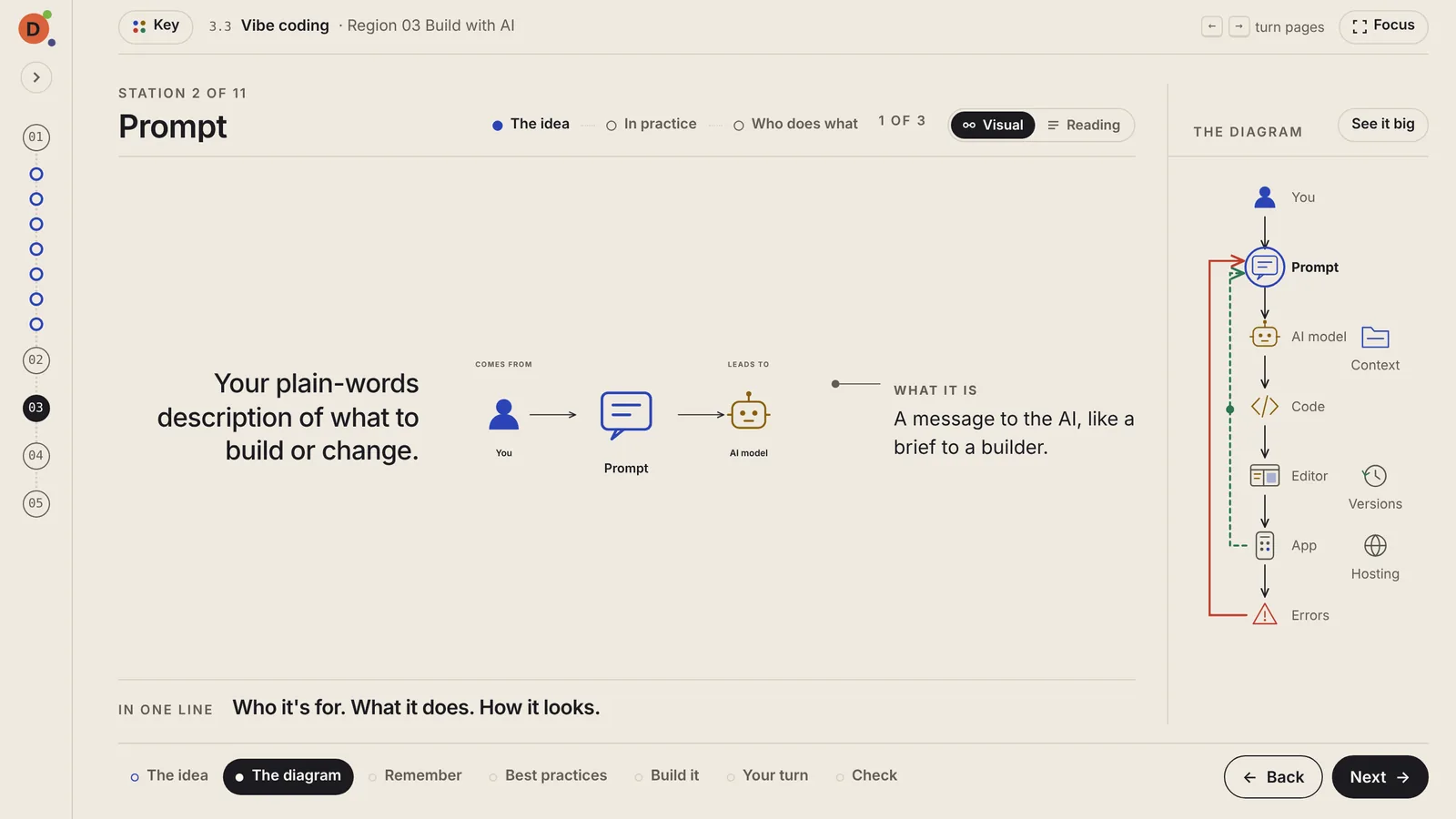
Zoom into any station
The station gets the screen, in three short chunks. The diagram stays on the side so you don't get lost.
DotSkills teaches with diagrams first and words second. Our first map, Zero to One with AI, takes you from an idea to a launched product in 46 short visual lessons.
Free in beta. No account. Lessons are made for a laptop.
This is the real diagram from lesson 3.3, Vibe coding. Tap any station to see what it does, just like in a lesson.
01The difference
Here's vibe coding, explained the usual way and the DotSkills way. Which one would you rather start with?
To get started with vibe coding, first open your AI app builder and describe what you want in a prompt. Be specific about who will use it, what the main screen shows and what should happen when someone clicks the button. The model generates code, which you can preview in the editor. If something breaks, copy the error message and paste it back into the chat, along with any context the model needs, such as a style guide or an example of the result you want. Remember to save versions as you go so you can roll back when a change goes wrong. When you're happy with it, publish to hosting so you get a live link you can share. Then test it the way a real user would, write down what's wrong, and prompt again. Most first builds go through this loop several times before they work, and it helps to keep each change small, because large requests tend to break things that were already working. You should also keep secret keys out of your prompts and check
...and about 1,400 more words
You read, then try to picture how it all fits.

You see how it fits first, then zoom into each part.
02How it works
Every lesson has the same seven pages, so after one you know your way around all of them.
Five regions and 46 lessons sit on a map beside every screen, so you never lose your place.
Each lesson is a diagram you walk through station by station. Nothing scrolls on a laptop.
Miss a question and it sends you to the exact station that teaches it. Then a real task puts it to work.
03Features
Real screens from the app. Everything here is in every lesson.
The station gets the screen, in three short chunks. The diagram stays on the side so you don't get lost.
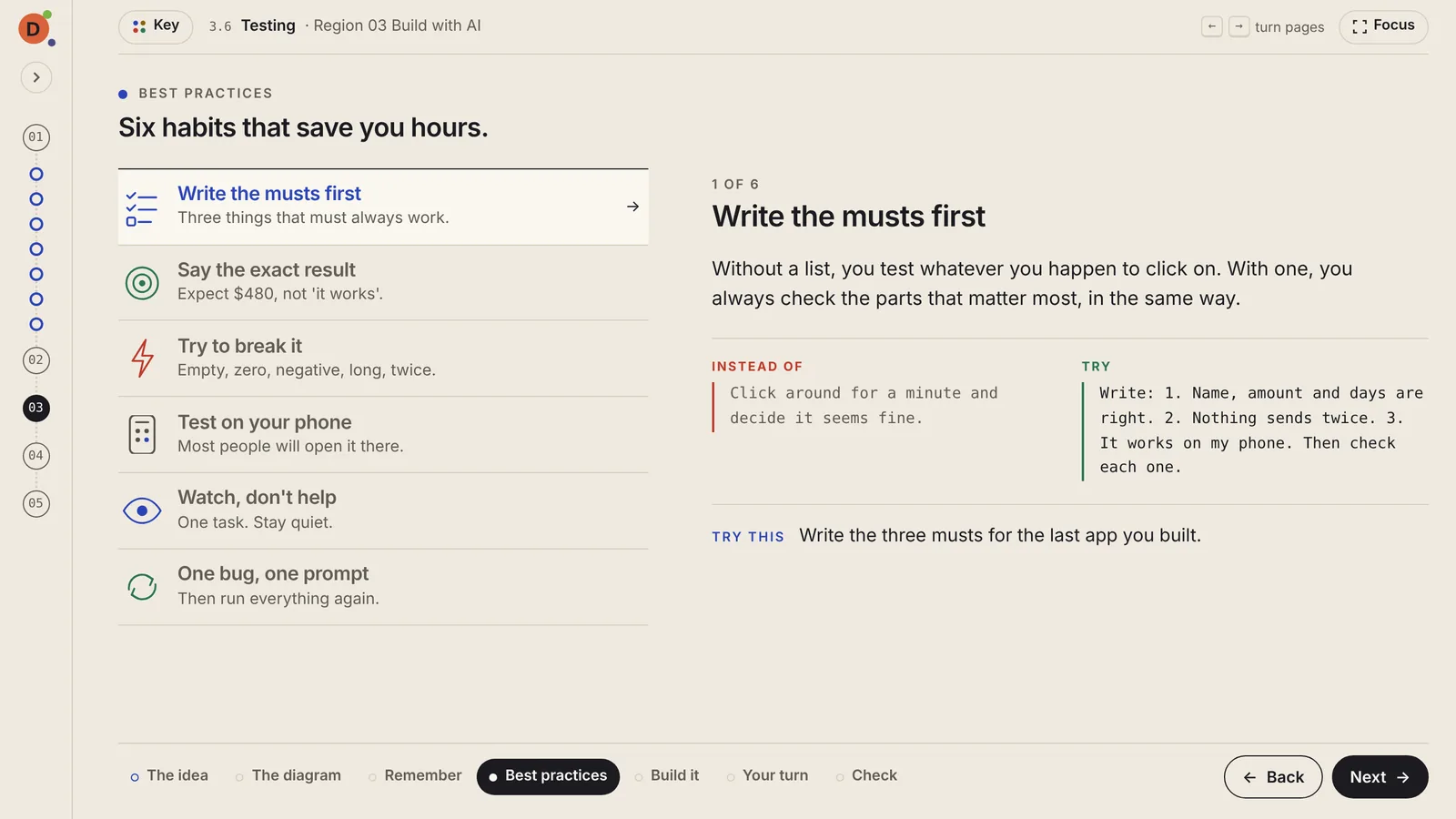
See what goes wrong without it, what to do instead, and one small thing to try today.
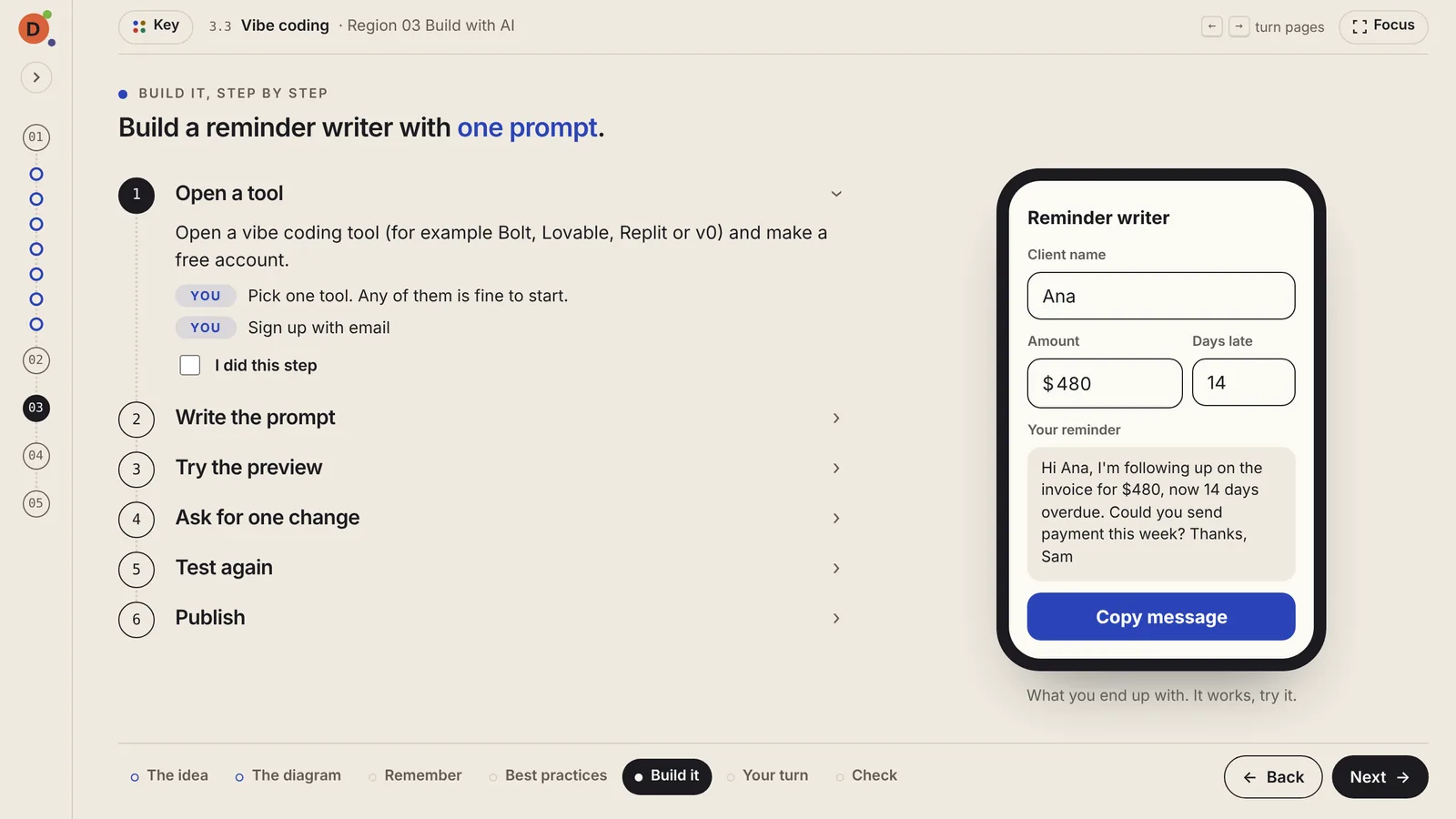
The exact words to use, a check mark for each step, and working demos you can try right there.
04Colors
Learn the five colors once and every diagram reads at a glance.
05Why DotSkills
Made for people starting from zero: an idea and no technical background, a career change, or a small business wondering what AI can really do.
Every topic is a diagram of connected stations, so you see why each step matters before you learn it.
About twelve minutes a lesson, one idea per screen. One a day is plenty.
You follow one product from idea to launch, so every lesson adds to something you can picture.
06Maps
You follow one product the whole way: Paywhistle, a small app that chases late invoices for freelance designers. Each region moves it one step closer to real.
Freelance designers lose hours chasing late invoices. You talk to them, test a one-page waitlist and check who else solves it.
Add an invoice, polite reminders on a schedule, mark it paid. You sketch the flow, the data, the parts and what it costs.
First a simple reminder writer you make with one prompt. Then you add AI, test it, and build the full first version: sign-up, saved invoices and reminders that send themselves.
Paywhistle becomes calm, polite and persistent, in its words, its look and every reminder it sends.
Go live on your own domain, open in waves, set a price, watch the numbers and handle the day something breaks.
More maps are planned: AI for everyday work, image and video generation, AI as a coding partner, and more.
07Try it free
DotSkills is in open beta. Use as much as you like, no account needed. Every lesson has a feedback button, and we read every message.
Coming next: accounts, a guided tour, then more maps. See the roadmap